Photo GPS Metadata Guide: Quick Answer
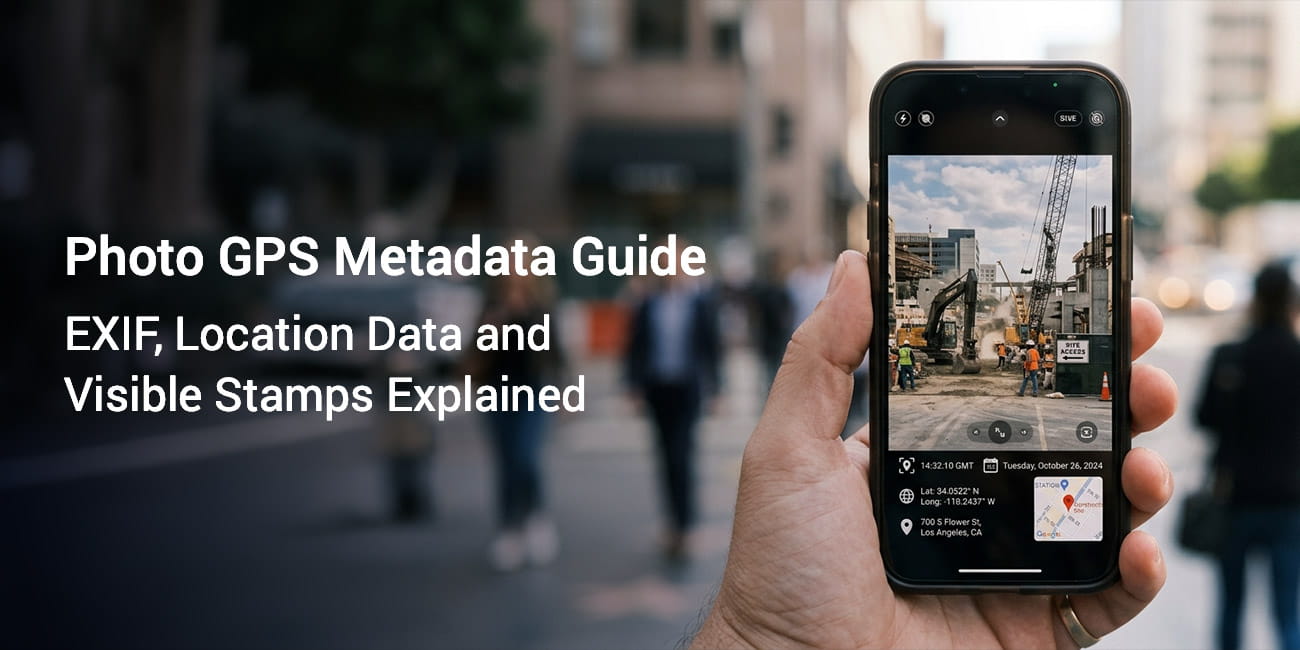
Photo GPS metadata is the location data your phone saves inside a photo file using a hidden layer called EXIF. You cannot see it on the image and many apps strip it the moment you share. A visible GPS stamp prints the location onto the photo so the proof stays readable wherever the file goes.
- Every photo your phone takes can carry GPS location data inside a hidden EXIF layer.
- EXIF data is invisible. It lives in the file and never shows on the photo.
- Many apps and social platforms strip EXIF metadata during sharing. The location data then disappears.
- A visible GPS stamp prints location details onto the image. It is the more reliable record for work reports and field documentation.
When your phone camera takes a photo it can record far more than the image. It quietly saves your GPS coordinates inside the file. It also stores the date and time. This hidden information is your photo GPS metadata. This photo GPS metadata guide explains what it is and how it works. It also covers why hidden metadata is sometimes not enough.
What Is EXIF Data? A Plain Language Definition
EXIF data is a set of details stored invisibly inside a photo file. EXIF stands for Exchangeable Image File Format. It is a technical standard that defines what extra information gets saved next to the image pixels.
Think of it like a label sewn into the lining of a jacket. The jacket looks the same from the outside. Inside there is information about where it was made and what material it uses. EXIF data works the same way.
When you take a photo on a smartphone your camera app usually records several things:
- Date and time: the moment the shutter fired
- Camera model and manufacturer: the device that took the photo
- Camera settings: aperture shutter speed and ISO
- GPS coordinates: your latitude and longitude at that moment
- Altitude: your elevation above sea level when recorded
- Image orientation: portrait or landscape
All of this sits inside the image file. None of it shows on the photo unless you open it with a tool that reads EXIF. Some apps print part of it directly onto the image.
How GPS Works in Photos: The Core Mechanics
GPS stands for Global Positioning System. It is a network of satellites that orbit Earth and broadcast location signals. Your smartphone has a GPS receiver that picks up those signals and works out where you are.
When you take a photo with location services on your phone captures your coordinates at that moment. It then writes them into the photo EXIF data. This process is called geotagging. Geotagging attaches a geographic location to a digital file.
The coordinates are stored as latitude and longitude values. Latitude measures how far north or south of the equator you are. Longitude measures how far east or west of the prime meridian you are. Together these two numbers pinpoint any spot on Earth.
A typical GPS coordinate looks like this:
Latitude: 40.7128° N
Longitude: 74.0060° W
That example points to New York City. Your phone stores coordinates with several decimal places. The extra decimals narrow the location down to a much smaller area.
GPS accuracy may vary based on signal quality device settings and nearby buildings. In open outdoor areas accuracy is usually within a few meters. In dense urban areas with tall buildings or indoors accuracy can drop.
Photo Location Metadata vs Visible Stamps
Photo location metadata is GPS data stored inside the photo EXIF layer. It is not visible on the photo itself.
A visible GPS stamp is different. It prints location details onto the photo as text or a map overlay. These details can include coordinates address date and time.
People often confuse the two. Here is a clear comparison:
| Feature | EXIF Location Metadata | Visible GPS Stamp |
|---|---|---|
| Where it lives | Hidden inside the file | Printed on the image |
| Visible to the naked eye | No | Yes |
| Survives sharing on social media | Often stripped | Always present |
| Readable without special tools | No | Yes |
| Quick review by a client or manager | Rarely | Yes |
| Can be edited or removed after capture | Yes using tools | Hard to alter without visible changes |
For more on why this distinction matters in practice see Metadata vs Visible GPS Stamp.
Why EXIF GPS Metadata Gets Stripped and What That Means
Many platforms remove EXIF data when you upload or share a photo. The list includes:
- X, formerly Twitter
- Most email services that compress images
The reasons vary. Some platforms strip metadata to protect user privacy. Others do it to shrink file size. Some do both.
The result is simple. The GPS coordinates you captured may never reach the person you send the photo to. You might share field documentation with a manager. You might send inspection photos to a client. You might submit delivery proof through a work platform. In each case the hidden GPS data may already be gone when the photo arrives.
This is the core limit of relying on EXIF metadata alone for documentation work.
When Hidden EXIF Data Still Has Value
EXIF GPS data is still useful in several cases despite the stripping problem:
- Personal photo organization: apps like Apple Photos and Google Photos use EXIF location to group photos by place on a map.
- Offline archives: EXIF data stays intact when you save originals without uploading through a stripping platform.
- Metadata verification tools: investigators legal teams and technical reviewers can read EXIF data directly from original files.
- Camera and photo apps: many tools show EXIF location data when you browse your library.
For deeper background on finding where a photo was taken from available location signals see How to Know Where a Photo Was Taken.
How to View EXIF Data on iPhone and Android
Viewing the GPS metadata inside a photo is straightforward on both major platforms.
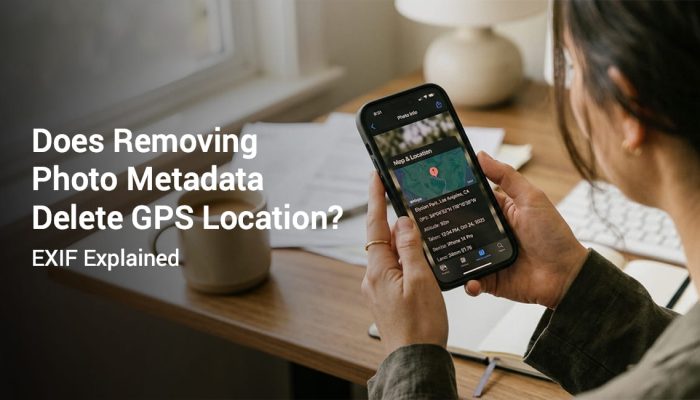
How to View EXIF Data on iPhone (iOS)
- Open the Photos app on your iPhone.
- Tap the photo you want to inspect.
- Swipe up on the photo to open the information panel.
- Check the date time camera model and a small map of where the photo was taken.
- Tap the map to open it in full view.
For exact coordinates and every technical field you can use a dedicated EXIF viewer app from the App Store.
Note: These steps apply to current iOS versions. Steps may vary depending on your iOS version.
How to View EXIF Data on Android
- Open the Gallery or Photos app on your Android device.
- Open the photo you want to inspect.
- Tap the three dot menu or the info icon.
- Select Details or Info.
- Scroll the panel to find location date time and camera details.
Not all Android devices show GPS coordinates in the built in gallery. The exact steps depend on your device manufacturer and Android version.
Note: App features may vary by device and OS version.
How to View EXIF Data on a Computer
On a Windows PC:
- Right click the photo file.
- Select Properties.
- Open the Details tab.
- Scroll to find the GPS latitude and longitude values.
On a Mac:
- Open the photo in Preview.
- Go to Tools then Show Inspector.
- Open the GPS tab to see coordinates and a map view.
You can also use a free web tool. Upload a photo and the tool reads the embedded EXIF data and shows it in a readable format. Be careful about uploading sensitive work photos to third party websites.
Understanding GPS Coordinates in Photos
GPS coordinates in photo EXIF data are stored in two common formats. One is decimal degrees. The other is degrees minutes seconds (DMS).
Decimal degrees look like this:
40.712800, -74.006000DMS format looks like this:
40° 42' 46.08" N, 74° 0' 21.6" WBoth refer to the same location. Most smartphone cameras store coordinates in decimal degrees. A negative longitude value points to the western hemisphere. A negative latitude value points south of the equator.
When you open a photo EXIF data and see a coordinate you can paste it into Google Maps or Apple Maps. The map then shows the exact spot.
What About Altitude in EXIF Data?
Some devices also record GPS altitude. This is your height above sea level when the photo was taken. It is stored as a separate EXIF field. Altitude accuracy is often lower than horizontal accuracy on consumer smartphones. These phones usually combine a barometric sensor with GPS to estimate elevation.
Geotagging: What It Means and How It Works
Geotagging is the process of adding geographic information to a digital file. For photos this means embedding GPS coordinates in the EXIF layer at the time of capture.
Modern smartphone cameras geotag photos automatically when location services are on. You do not need to do anything by hand.
Geotagging also appears in other places. Blog posts social media updates videos and documents can all carry geotag data. In photo documentation it refers to the GPS location written into the photo file.
How to Enable Geotagging on iPhone
- Go to Settings then Privacy & Security then Location Services.
- Make sure Location Services is turned On.
- Scroll to Camera in the app list.
- Set location access to While Using the App.
How to Enable Geotagging on Android
- Open the Camera app.
- Open Settings using the gear icon or menu.
- Find the Location tags or GPS location option.
- Toggle it On.
You may also need to allow location permission for the camera app. Open your device Settings then Apps then Camera then Permissions then Location.
The Limits of GPS Metadata for Professional Documentation
Hidden EXIF metadata has real limits for professional documentation field work and business reporting. Here is why it often falls short.
1. It is invisible to reviewers. A client manager or auditor cannot see the GPS data on your photo. They would need a separate tool to extract and read it. Most people do not use one.
2. It gets stripped on share. Most communication platforms and social apps remove EXIF metadata. The GPS data may already be gone when your photo reaches the reviewer. See our full breakdown of does removing photo metadata delete GPS location for what exactly gets deleted and what survives.
3. It can be edited. EXIF data can be changed with widely available tools. Coordinates and dates can be altered without touching the visible image. This weakens its value as trusted proof on its own.
4. It needs technical knowledge to read. Decimal degree coordinates mean little to most non technical reviewers. Turning them into a readable address takes an extra step.
5. It does not capture context. EXIF GPS coordinates tell you where you were. They do not show the street address. They do not show a map view. They do not show a clear timestamp.
For field workers inspectors delivery staff and real estate agents these gaps matter. A visible GPS stamp on the photo solves each problem. It makes location address coordinates date and time part of the image itself.
GPS accuracy may vary based on signal quality device settings and nearby buildings.
Visible GPS Stamps vs EXIF Metadata: A Practical Comparison
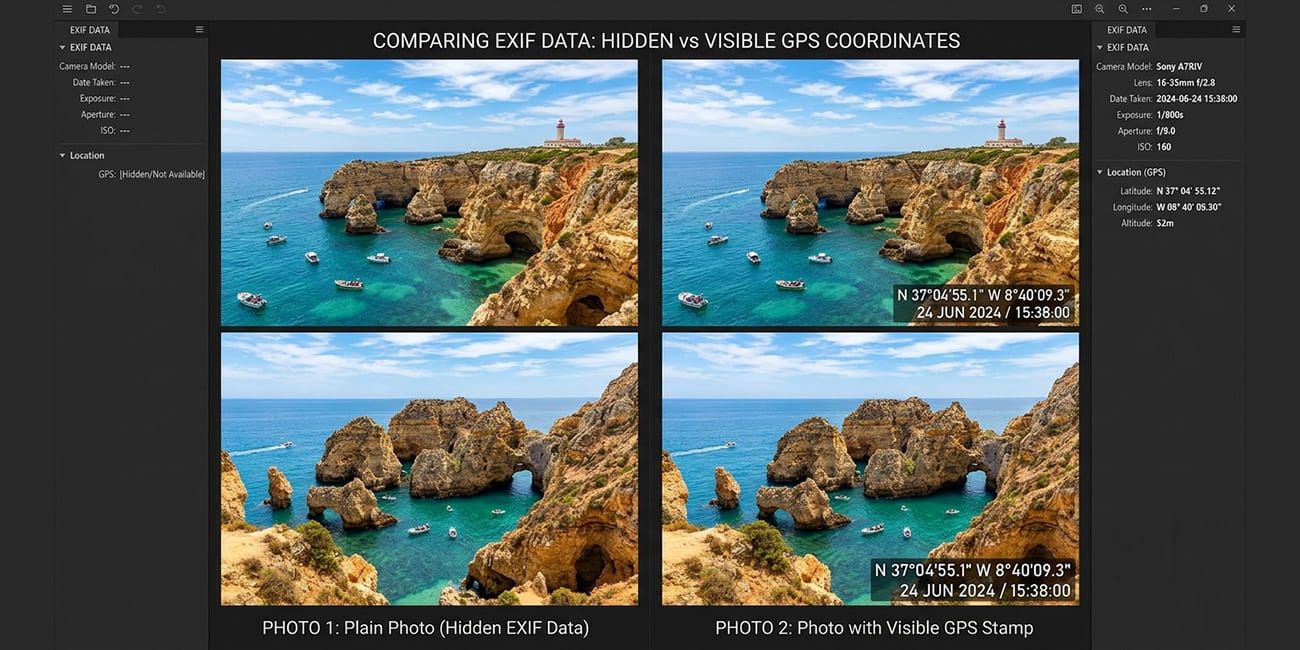
This section is for readers who want to see which approach fits their situation.
| Situation | EXIF metadata enough? | Visible GPS stamp recommended? |
|---|---|---|
| Personal photo library organization | Yes | Optional |
| Travel memories shared on social media | Limited and often stripped | Yes for clear records |
| Construction site progress documentation | No | Yes |
| Delivery confirmation photos | No | Yes |
| Property inspection reports | No | Yes |
| Field service work orders with photo evidence | No | Yes |
| Insurance documentation | No | Yes |
| Sending photos through WhatsApp or email | No | Yes |
| Archiving originals on your own device | Yes | Optional |
The pattern is clear. Photos sometimes need to prove location to another person through a shared platform. In those cases visible stamps are more reliable.
How GPS Map Camera Handles Location Data
GPS Map Camera is a photo documentation app for iOS and Android. It captures GPS coordinates the moment you take the photo. It then prints them onto the image as a visible stamp.
The visible stamp can include:
- GPS coordinates as latitude and longitude
- Street address reverse geocoded from your coordinates
- Date and time
- A small map view of your position
- Weather conditions
- Compass direction
This makes the location information part of the photo. It is no longer hidden inside the file.
App features may vary by device and OS version. We recommend checking the current version for the latest stamp options.
A visible GPS stamp stays intact when you share the photo on any platform. It survives when you print it attach it to a report or send it to a client. The location proof travels with the image every time.
Privacy and Responsible Use of GPS Photo Metadata
Location data in photos carries privacy implications whether it is visible or hidden. Here is what to keep in mind.
Sharing Photos with Hidden EXIF Location Data
Imagine you take a photo at home and share it publicly online. If the platform preserves EXIF data your precise home coordinates could stay embedded in the file. This applies to platforms that keep EXIF data.
Before sharing photos publicly think about:
- Whether the photo location is sensitive
- Whether you want others to know that exact spot
- Whether the platform strips or preserves EXIF metadata
Many people do not realize their selfies home photos and travel shots carry precise GPS coordinates inside the file.
Sharing Photos with Visible GPS Stamps
A visible GPS stamp is readable by anyone who sees the photo. That is the point for documentation work. You want reviewers to see the location. It also means you should think before stamping photos at sensitive places. Examples include your home address or a secure facility you would rather keep private.
Use location stamped photos responsibly. Share them only with the people who need the location. Avoid sharing sensitive location details without permission from the property owner or the people in the photo.
GPS accuracy may vary based on signal quality device settings and nearby buildings.
Can EXIF Data Be Faked?
Yes. EXIF metadata can be edited with free tools. Coordinates timestamps and device model data can all be changed without altering the visible photo. This is why EXIF metadata alone is not always treated as conclusive proof.
A visible GPS stamp is harder to alter without obvious visual damage to the image. It is not tamper proof. It is more immediately verifiable by a human reviewer.
How Photo GPS Metadata Works Across Different Devices
GPS metadata capture depends on the device hardware the operating system and app permissions. Here is a broad overview.
iPhone and iPad
The built in Apple Camera app captures GPS data when location services are on. iOS writes EXIF location data in a standard format. Photos store GPS coordinates in the EXIF layer. You can browse them on a map in the Photos app.
AirDrop and iMessage usually preserve EXIF data. Most social platforms usually strip it.
Android Devices
Android camera apps generally support GPS geotagging when you enable it in settings. Different manufacturers build this in slightly differently. The exact menu location varies. Google Photos on Android reads EXIF location data and organizes photos by place.
Older Point and Shoot Cameras
Many older cameras have no built in GPS. Their photos have no location EXIF data unless software or a GPS accessory added it later.
Some point and shoot cameras include built in Wi-Fi and GPS. They are less common than smartphone GPS.
DSLR and Mirrorless Cameras
Many professional cameras now include built in GPS or support a GPS accessory. The capture works the same way. Coordinates are written to EXIF at the time of capture. GPS signal acquisition can take longer on dedicated cameras than on smartphones, which have faster GPS hardware.
Frequently Asked Questions
Yes. EXIF data including GPS coordinates can be edited or removed with free software. Some organizations that need photo proof prefer visible stamps because they are harder to change without obvious damage.
It depends on the platform. Many social and messaging apps strip EXIF metadata and remove the GPS data, while some platforms preserve it. If you share original files by email the recipient may be able to read the location data.
No. A photo only has GPS metadata if location services were on when it was taken. No GPS data is saved if location access was off or the camera had no GPS.
A visible GPS stamp is usually more practical for work reports inspections and client documentation. EXIF metadata is often stripped as photos move through apps so it may never reach the reviewer. A visible stamp travels with the image and can be read at a glance.
EXIF data is information stored invisibly inside a photo file. It usually includes the capture date the camera model and the technical settings, plus GPS coordinates when location services were active. You need a tool to read it because nothing shows on the photo.
Geotagging adds GPS coordinates to a photo hidden EXIF data. A GPS stamp prints the location onto the visible photo so anyone can read it. Geotagging stays invisible while a stamp shows coordinates address map date and time.
GPS accuracy depends on your device signal quality. Coordinates are usually within a few meters outdoors but less precise indoors or in weak signal areas. GPS accuracy may vary based on signal quality device settings and nearby buildings.
Put Location Proof on the Photo, Not Just Inside It
Understanding photo GPS metadata shows you what your phone already does. It also shows where the gaps are. EXIF data is useful for personal organization and offline archives. Hidden metadata often fails to reach the reviewer for field documentation client reports inspections and delivery proof.
GPS Map Camera is available for iOS and Android. It captures your GPS location address coordinates and map details the moment you take the photo. It prints them onto the image so the proof stays visible wherever the photo is shared.
App features may vary by device and OS version. Download GPS Map Camera and take your first location stamped photo today.
GPS accuracy may vary based on signal quality device settings and nearby buildings. App features may vary by device and OS version. Use location stamps responsibly. Do not share sensitive location data without permission from relevant parties. Do not describe visible GPS stamps as legal proof unless a qualified legal professional has verified them.